Subscriptions
Use a subscription you already pay for, such as ChatGPT or a flat-rate coding plan, as the model behind your sessions. Open Settings > Inference > Subscriptions.
The page says “Sign in with an AI subscription or add a coding plan key.” It has two kinds of connection.
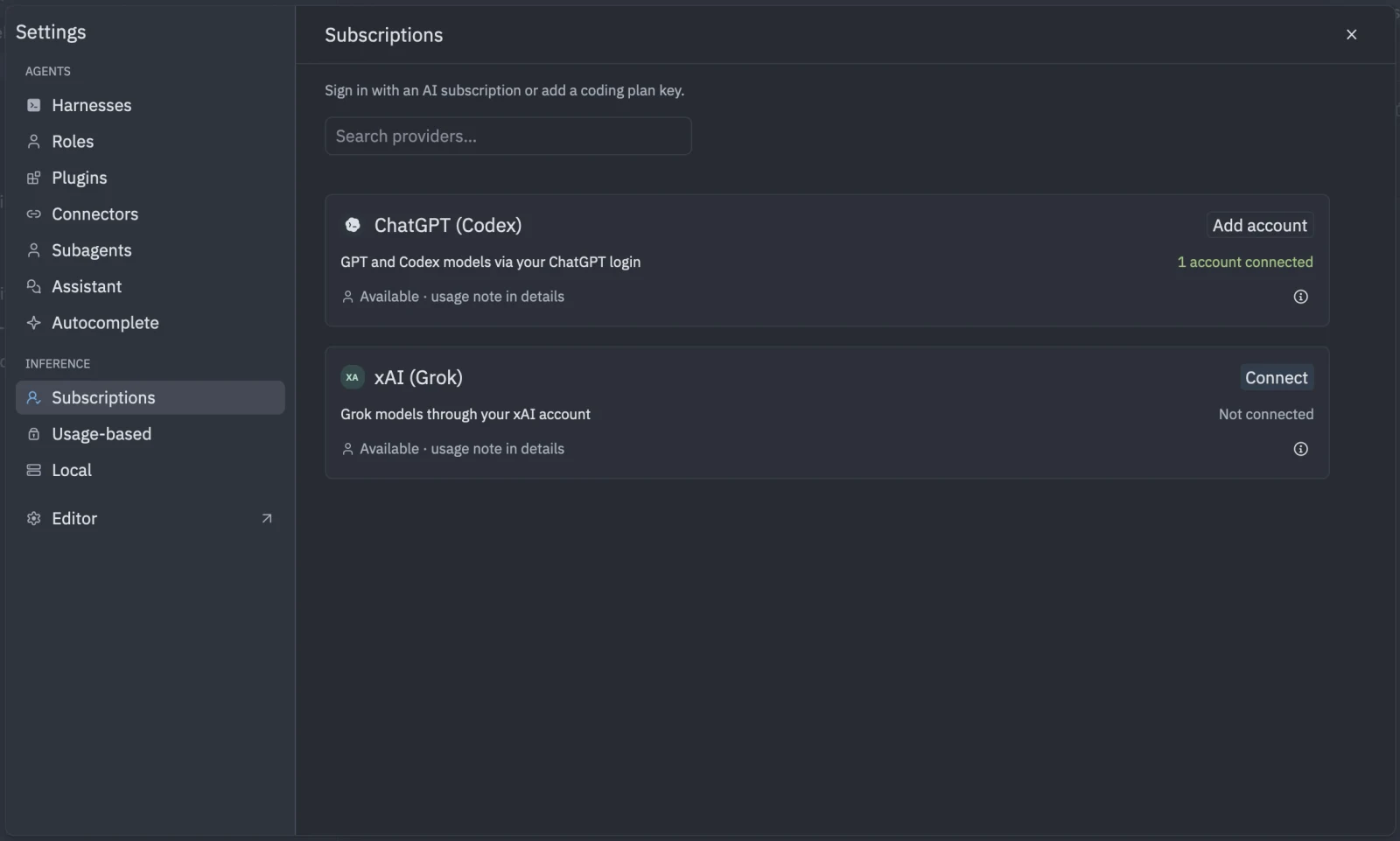
Sign in with an account
Account sign-in is available for:
- ChatGPT (Codex): GPT and Codex models through your ChatGPT login. Usage counts against your plan’s Codex limits.
- xAI (Grok): Grok models through your xAI account.
Each provider shows a usage note in its details. Read it before connecting, because it says how that sign-in is used.
- Open Settings > Inference > Subscriptions.
- Find the provider and click Connect. If you already have an account connected there, the button reads Add account.
- Finish signing in in your browser. Tyrn waits for the redirect. If a code is shown instead, click Open browser, enter the code at the address shown, and approve. If asked, paste the code back and click Submit.
- The card shows Connected as your account.
Use Disconnect to remove an account. You can connect more than one account per provider.
Connect a coding plan
A coding plan is a flat-rate plan that gives you a key. Examples include GLM Coding Plan, Qwen Token Plan, MiMo Token Plan and Kimi Code. The list shown in the app is the source of truth, and it can grow.
- Under the plans list, find your plan and click Connect plan.
- Paste your key into Plan key.
- Click Connect.
The key is never shown again after saving. It is stored like an API key and sent only to that plan’s server.
Priority and active
When several accounts share a provider, Priority sets the order: lower tries first. An account that is not active is skipped by Tyrn router and shows “Skipped by the router”.
Use the connection
Connections are used when a session’s Inference is Tyrn router. Pick a model in the session form. See Start a session. Model ids appear exactly as the provider names them. In settings, refer to a model as "provider/model", or "provider:account/model" to pin an account.
Your provider bills or limits usage according to your plan. Tyrn does not charge for model use.
Credentials are stored under ~/.tyrn/router/credentials/, in files readable only by your user account.