Models and providers
A model is what a harness asks to do the thinking. Tyrn lets you choose where it comes from for each session.
Two ways a session gets a model
- Native: the harness uses its own sign-in and provider. In the form you pick a Model and Effort.
- Tyrn router: the harness’s requests go through providers you connected in Tyrn. You pick a model from a picker.
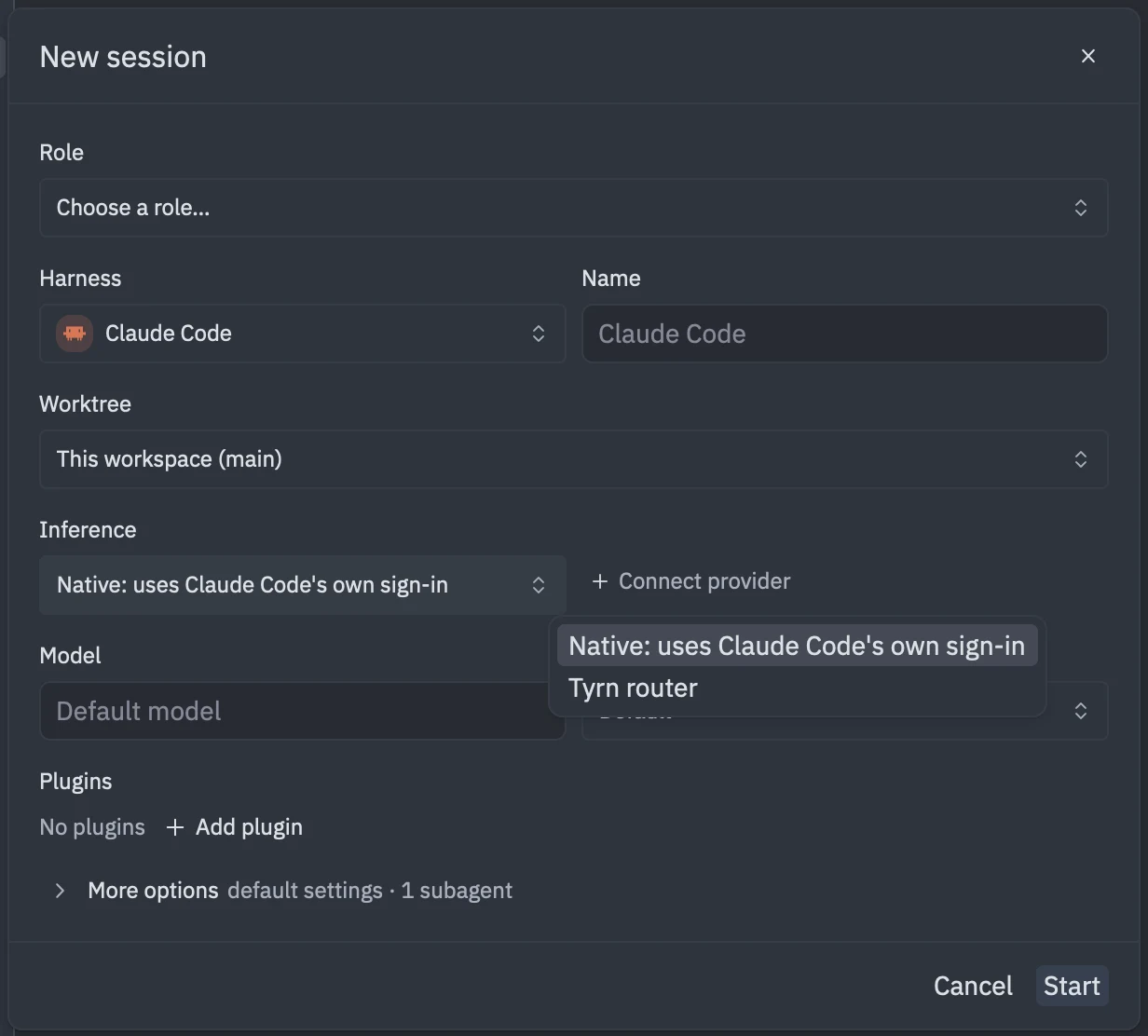
What you can connect
In Settings, under INFERENCE:
- Subscriptions: sign in with ChatGPT (Codex) or xAI (Grok) using Connect account, or paste a coding plan key with Connect plan.
- Usage-based: add API keys from providers that bill per token, such as Anthropic, OpenAI, Gemini, OpenRouter, Groq, Mistral and DeepSeek.
- Local: models on your machine or network, such as Ollama, LM Studio, vLLM and llama.cpp.
See Connect a model for the steps.
Naming and cost
Model ids are shown exactly as the provider names them. In settings use "provider/model" or "provider:account/model". Your provider bills you for use. Tyrn doesn’t charge for model use.
Autocomplete
Inline completions can use a model too. See Autocomplete.