Connectors
Connectors link your agents to apps and accounts. Connect each one once and every session can use it. Open Settings > Agents > Connectors.
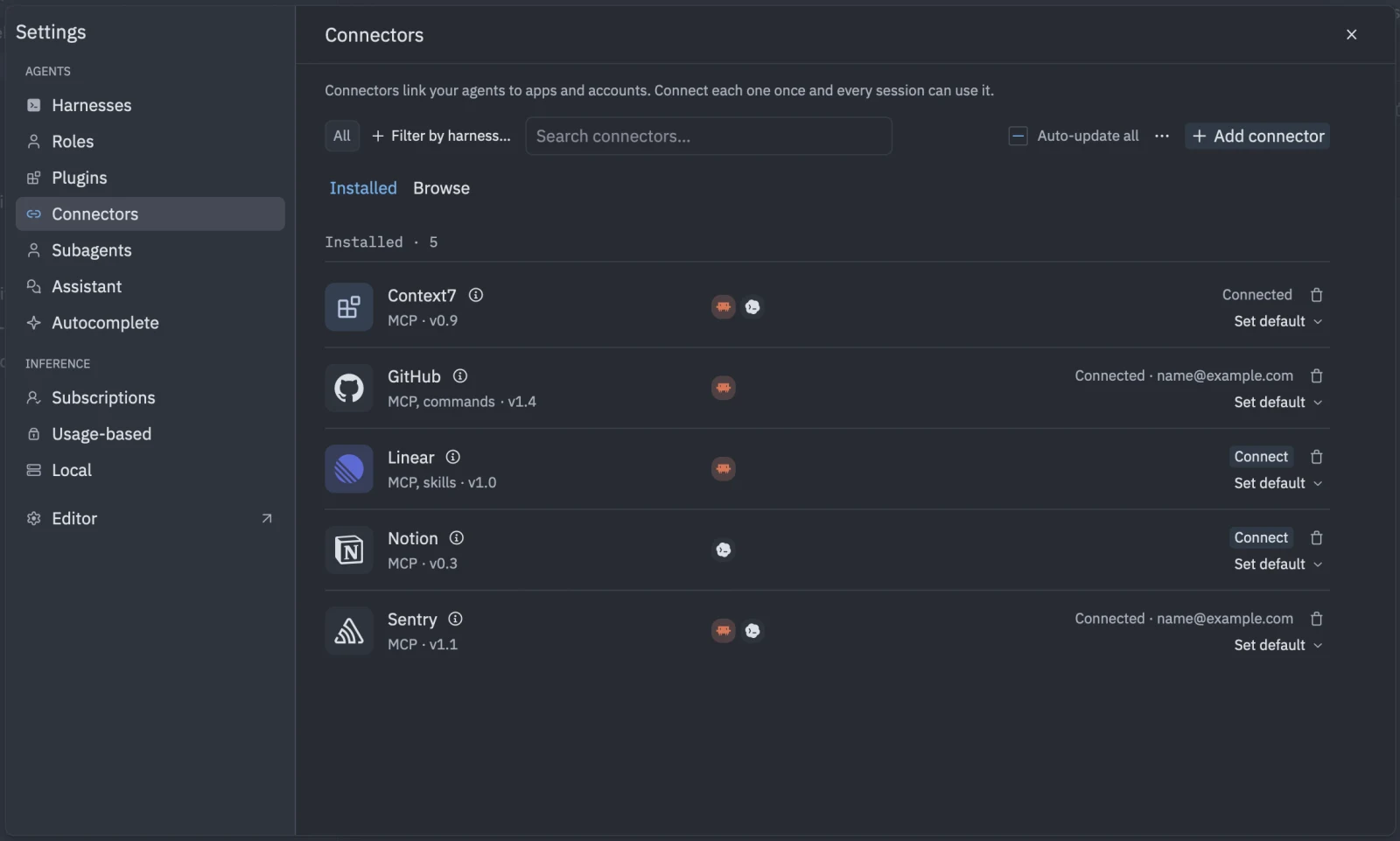
Connect an app
- Open Settings > Agents > Connectors.
- Find the connector. You can add more from the marketplace. See Marketplace.
- Click Connect and follow what it asks for. There are three kinds.
| Sign-in | What you do |
|---|---|
| None | Nothing. The connector is ready. |
| Keys | Paste the values it asks for, such as an API key. Some fields link to where you create the key. |
| OAuth | Click Connect, then sign in in your browser. It then shows “Connected” with the account. |
Pasted values are kept in the macOS Keychain.
Manage a connector
- Sign in again appears when an OAuth connection needs refreshing.
- Change keys updates pasted values.
- Disconnect removes the connection.
- Retry appears after an error. The connector’s details show the error.